I like tools that make everyday tasks easier, especially when they do not depend on an internet connection. That is one reason offline BMR calculators caught my attention. You can work out your estimated resting calorie needs on your phone or computer without opening a website every time. But not every calculator gives the same results, and some tools explain very little about their calculations.
While researching different offline calculator options and the science behind them, I found a few things worth understanding before choosing one. In this guide, I will explain how these tools work, which formulas matter, how to check your results, and what to look for when you want a simple calculator that works without Wi-Fi or mobile data.
What Are Offline BMR Calculators and How Do They Work?
Offline BMR calculators are digital tools that estimate how many calories your body uses while resting. You can use them without an active internet connection once the calculator is installed or stored on your device.
BMR stands for Basal Metabolic Rate. It represents the energy your body needs to support basic functions such as breathing, circulation, cell activity, and organ function.
Think of your body as a machine that never switches off. Even when you sleep, it still needs energy to keep working.
An offline calculator uses your personal details and a mathematical formula to estimate that energy use. Most tools ask for four basic details:
- Age
- Sex
- Weight
- Height
You enter these details, press calculate, and receive an estimated BMR in calories per day.
Offline BMR Calculators vs Online Calculators
The main difference is how you access the tool, not necessarily how it calculates your metabolism.
Both types can use the same scientific formulas. The difference is that an offline calculator stores the necessary calculation process on your device.
| Feature | Offline calculator | Online calculator |
|---|---|---|
| Internet access | Not needed after setup | Usually needed |
| Results | Calculated on your device | Calculated through a website or app |
| Privacy | May reduce data sharing | Depends on the website |
| Availability | Works without a connection | Depends on internet access |
| Updates | May require manual updates | Usually managed online |
One detail is easy to miss. A website does not automatically become an offline calculator just because you opened it once. It must support offline use or save the necessary files on your device.
If you travel, have limited mobile data, or prefer simple tools, a properly working offline calculator can be useful.
Which Formula Should an Offline BMR Calculator Use?
Not all BMR calculators use the same mathematical method. This is one of the first things I check when comparing tools.
A calculator can look attractive and produce an instant result, but that does not tell you whether its formula is suitable.
The Mifflin-St Jeor equation is a widely used option for estimating resting energy expenditure in adults. Research has found it more reliable than several other commonly used prediction equations in the populations studied.
A systematic review published in the Journal of the American Dietetic Association compared several equations and found that Mifflin-St Jeor performed best among the methods reviewed. However, individual errors still occurred.
Read the systematic review on PubMed.
Understanding the Mifflin-St Jeor Equation
This is the formula I would look for first in a general adult BMR calculator.
For males:
BMR = (10 × weight in kg) + (6.25 × height in cm) − (5 × age) + 5
For females:
BMR = (10 × weight in kg) + (6.25 × height in cm) − (5 × age) − 161
The formula uses kilograms, centimetres, and years. Entering pounds or inches without converting them can produce a very different result.
Here is a simple comparison of common calculation methods.
| Formula | Main inputs | What to know |
|---|---|---|
| Mifflin-St Jeor | Age, weight, height, sex | A widely used adult estimation method |
| Revised Harris-Benedict | Age, weight, height, sex | An older, revised prediction method |
| Owen equation | Weight and sex | Uses fewer personal measurements |
| Katch-McArdle | Lean body mass | Requires a body composition estimate |
The original Mifflin-St Jeor research was published in 1990 in the American Journal of Clinical Nutrition. It used measurements from 498 healthy adults to develop its prediction equation.
Read the original research paper.
How to Check an Offline BMR Calculation Manually
Here is a practical example.
Suppose a 35-year-old man weighs 80 kg and is 175 cm tall.
Using the Mifflin-St Jeor equation:
- Weight: 80 kg
- Height: 175 cm
- Age: 35 years
The calculation becomes:
BMR = (10 × 80) + (6.25 × 175) − (5 × 35) + 5
BMR = 800 + 1,093.75 − 175 + 5
Estimated BMR = 1,723.75 calories per day.
You can compare this result with an offline calculator to check whether it uses the same formula.
A small difference may come from rounding. A large difference may mean that the calculator uses another equation or that you entered the wrong units.
BMR, RMR, and TDEE: What Is the Difference?
These three terms often appear together in calorie calculators. At first, I found it easy to treat them as the same thing. That can lead to mistakes when using the results.
They are related, but they describe different aspects of energy use.
BMR estimates energy use under strict resting conditions.
RMR means Resting Metabolic Rate. It estimates energy use while resting under less strict conditions.
TDEE means Total Daily Energy Expenditure. It estimates all the energy you use throughout the day, including movement and exercise.
The National Academies explain these components in their Dietary Reference Intakes for Energy.
| Term | What it measures | Main purpose |
|---|---|---|
| BMR | Energy used under strict basal conditions | Estimate basic resting needs |
| RMR | Energy used while resting | Estimate resting energy use |
| TDEE | Total daily energy expenditure | Estimate daily calorie needs |
Why Your BMR Is Not Your Daily Calorie Target
This is one of the most important things to understand.
Your body does not spend the whole day lying still. You walk, work, cook, exercise, digest food, and perform many other activities.
An offline calculator may estimate TDEE by multiplying your BMR by an activity factor.
For example, a person with an estimated BMR of 1,700 calories may receive a higher daily energy estimate after selecting an activity level.
| Activity level | Typical description | General effect |
|---|---|---|
| Sedentary | Mostly sitting | Lower daily energy use |
| Lightly active | Some walking and light exercise | Moderate increase |
| Moderately active | Regular exercise | Higher energy use |
| Very active | Frequent hard training | Much higher energy use |
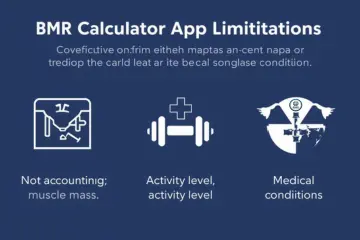
These categories are broad estimates. Your actual activity can be difficult to describe with one label.
Also, your BMR result is not automatically a safe minimum calorie intake. Do not use it alone to decide how much to eat.
What Should You Look for in an Offline BMR Calculator?
I would not choose a calculator based only on its design or the number of features it offers.
A useful tool should make the calculation easy to understand. It should also explain where the result comes from.
Here are the features I would check before installing one.
| Feature | Why it matters | What to look for |
|---|---|---|
| Offline access | Allows use without internet | Works after disconnecting |
| Named formula | Makes results easier to verify | Mifflin-St Jeor or another stated method |
| Unit selection | Prevents input errors | kg, lb, cm, and inches |
| Simple design | Makes daily use easier | Clear input fields and results |
| Privacy details | Helps protect personal data | Clear data and permission policies |
| Result explanation | Helps avoid confusion | BMR separated from TDEE |
Does the Calculator Show Its Formula?
I consider this one of the most useful features.
Some tools simply display a calorie number. They do not tell you how they reached that result.
A better calculator names its equation and explains the information it uses.
It may also show the calculation with your own measurements. This makes it easier to check whether the result is reasonable.
For example, a calculator that identifies Mifflin-St Jeor gives you more information than one that simply claims to provide an accurate BMR.
No formula can guarantee a perfect result for every person.
Can You Change Between Kilograms and Pounds?
Unit selection matters more than it might seem.
People often enter their weight in pounds when a calculator expects kilograms. The same problem happens with height.
This can turn a reasonable estimate into a completely misleading number.
I prefer a calculator that clearly labels every measurement field rather than assuming users know which unit it expects.
Can You Save Your Previous Results?
A basic calculator may only show one result. A more useful tool may let you save measurements and compare results over time.
This can help you see how your estimated BMR changes when your weight or age changes.
However, remember that repeated calculations do not mean your actual metabolism has been measured. You are still comparing estimates from a mathematical formula.
Common Mistakes People Make With Offline BMR Calculators
A simple calculator can still produce confusing results when the information entered is wrong.
I noticed that many of the problems people may face have less to do with the equation and more to do with how they use the tool.
| Common mistake | Better approach |
|---|---|
| Entering pounds as kilograms | Check the unit before calculating |
| Using an incorrect height | Measure and enter height carefully |
| Choosing the wrong age | Use your current age |
| Confusing BMR with TDEE | Check which result you need |
| Comparing different formulas | Use the same equation for comparison |
| Treating an estimate as exact | Allow for natural prediction errors |
Why Two Offline BMR Calculators Give Different Results
This question makes sense, especially when two tools give different calorie estimates for the same person.
There are several possible reasons.
First, they may use different formulas. Mifflin-St Jeor and Harris-Benedict do not produce identical results.
Second, one calculator may use weight in kilograms while another expects pounds.
Third, the calculator may round its answer differently.
There may also be a difference between BMR and RMR calculations.
My advice is simple: compare the formula, units, and inputs before deciding that one tool is broken.
Do Offline BMR Calculators Give Accurate Results?
They can provide useful estimates, but they cannot tell you your exact metabolic rate.
This distinction matters.
Most everyday BMR calculators use prediction equations. These equations estimate energy expenditure from details such as age, weight, height, and sex.
Your real metabolic rate also relates to factors such as body composition, genetics, age, and health.
The National Institutes of Health explains how these factors influence energy expenditure and why prediction equations can vary in accuracy.
For a more direct measurement, healthcare professionals can use indirect calorimetry. This method measures oxygen consumption and carbon dioxide production to estimate resting energy expenditure.
That is very different from entering four details into a phone app.
Why Your Results May Not Match Your Actual Energy Needs
A formula cannot account for every detail of your body.
For example, two adults with the same height, weight, age, and sex may still have different body compositions and energy needs.
A calculator may also be less suitable for people outside the groups used to develop or validate its formula.
Research reviews have noted limitations in the representation of older adults and some ethnic groups in validation studies.
This is why I would treat a BMR number as a starting point, not a medical measurement.
For children, pregnancy, breastfeeding, certain medical conditions, or complex nutritional needs, a general adult calculator may not be suitable. Professional advice is a better choice.
Are Offline BMR Calculators Safe for Your Privacy?
One benefit of calculating on your device is that the calculation itself may not need an internet connection or a remote server.
However, offline access does not automatically mean complete privacy.
An app may still contain advertisements, analytics, or other features that involve data collection when your device connects to the internet.
When I checked current app listings, I found an example worth keeping in mind. One BMR calculator on Google Play describes its calculations as fully offline and says personal data stays on the phone. However, its data-safety information also mentions that device or other IDs may be shared with third parties.
You can check the Google Play listing for its current disclosures.
That does not prove that every offline calculator shares information. It shows why checking the privacy details is important.
Before installing one, look at:
- The developer’s privacy policy.
- The permissions requested by the app.
- Whether it contains third-party advertisements.
- Whether an account is required.
- Whether personal measurements are stored or backed up.
A basic calculator should not need unnecessary access to your contacts, microphone, or location.
What Should You Do When Your BMR Result Looks Wrong?
Do not immediately assume that your metabolism is unusually high or low.
Start by checking the information you entered. A small input error can change the result.
Then check which formula the calculator uses. If two tools use different equations, their results may not match.
| What you notice | Possible reason | What to check |
|---|---|---|
| Very high result | Wrong weight unit | kg versus lb |
| Very low result | Incorrect height | cm versus inches |
| Different app results | Different equations | Formula name |
| Changes after updating weight | New input data | Previous measurements |
| BMR and daily calories differ | Different calculation types | BMR versus TDEE |
When Should You Use a Different Calculator?
Sometimes, changing tools is the easiest solution.
Look for another calculator when your current one does not identify its formula, has unclear measurement fields, or mixes BMR and TDEE without explaining the difference.
You can also use a downloaded spreadsheet or a saved calculation sheet if you prefer not to install another app.
The important thing is not the number of calculator features. It is whether the result is transparent and easy to check.
For more personalised energy estimates, a registered dietitian or other qualified healthcare professional can help you decide whether a prediction equation is appropriate.
Final Thoughts
Offline BMR calculators are useful when you want a quick estimate without depending on an internet connection. They can help you understand your resting energy needs and give you a starting point for learning about daily calorie requirements.
My biggest takeaway from researching these tools is that the formula matters more than the design. Check your measurements, choose a calculator that explains its equation, and remember that BMR is an estimate rather than an exact reading. Use the result as helpful information, not as a strict rule for your diet.

Ehatasamul Alom is a dedicated health-tech enthusiast and the co-founder of BMRCalculator. With a passion for metabolic science, he focuses on providing accurate health data for the UK community. Ehatasamul ensures that every tool and guide aligns with NHS standards and public health research. His mission is to simplify complex biological data, helping British residents make informed decisions about their fitness, calorie needs, and long-term wellness. When not analyzing health trends, he explores the latest innovations in wearable fitness technology.