Have you ever opened a fitness app, entered your age and weight, and wondered where the calorie number came from? Many people use these tools to understand their metabolism, plan meals, or manage their fitness goals. But BMR calculator apps explained is a topic worth exploring because not every app works in the same way, and the results can sometimes be confusing.
When looking at BMR apps, I think the most important thing is understanding what happens behind the screen. Some apps only estimate resting calorie needs, while others combine BMR calculations with food tracking, workouts, and activity records. In this guide, I’ll explain how these apps work, which features matter, how their formulas differ, and what to check before trusting the results.
What Are BMR Calculator Apps and How Do They Work?
BMR calculator apps are mobile tools that estimate how many calories your body uses while resting. BMR stands for Basal Metabolic Rate.
Your body needs energy even when you are not moving. Your heart keeps beating, your lungs keep working, and your brain remains active. All these functions use calories.
A BMR app uses your personal details and a mathematical formula to estimate this energy use.
Most apps ask for a few basic details before showing your result.
What Information Do BMR Apps Need?
A typical BMR calculator app asks for your age, weight, height, and sex.
Some apps also ask for body fat percentage or activity level. These extra details may help with other calculations, such as daily calorie needs.
| Information | Why the app needs it |
|---|---|
| Age | Helps estimate resting energy needs |
| Weight | Provides information about body size |
| Height | Helps calculate energy requirements |
| Sex | Used in many established equations |
| Body fat | Supports some body composition formulas |
| Activity level | Helps estimate daily calorie needs |
The quality of your result depends partly on the information you enter.
For example, entering an old weight or the wrong height unit can change your estimate.
I would always check your details before deciding that an app has calculated something incorrectly.
What Happens After You Enter Your Details?
The app sends your information through a calculation formula.
Depending on the app, it may then display:
- Estimated BMR in calories per day.
- Daily calorie needs.
- Activity-based calorie estimates.
- A weight management estimate.
- Previous results and progress charts.
Some apps save your details for later use. Others calculate the result without creating an account.
The key point is that a normal BMR app does not directly measure your metabolism. It predicts resting energy expenditure using an equation.
Which BMR Formula Do Calculator Apps Use?
The formula is one of the most important parts of a BMR app.
Two apps can ask for exactly the same details but show different results because they use different equations.
Understanding these methods makes it easier to compare apps and choose one that suits your needs.
Mifflin-St Jeor Formula
The Mifflin-St Jeor equation is a popular choice for adult BMR and resting metabolic rate calculators.
It was developed through research involving 498 healthy adults aged 19 to 78. The researchers measured resting energy expenditure and used factors such as age, height, and weight to develop the equation.
Here are the commonly used versions.
For men:
BMR = (10 × weight in kg) + (6.25 × height in cm) − (5 × age) + 5
For women:
BMR = (10 × weight in kg) + (6.25 × height in cm) − (5 × age) − 161
Let’s look at an example.
A 30-year-old man weighs 75 kg and has a height of 175 cm.
His estimated BMR is:
- 10 × 75 = 750
- 6.25 × 175 = 1,093.75
- 5 × 30 = 150
- Final adjustment = +5
Estimated BMR = 1,698.75 kcal per day.
An app using this formula should show approximately 1,699 calories per day.
You can read the original study in the American Journal of Clinical Nutrition.
Other Formulas Found in BMR Apps
Not every app uses Mifflin-St Jeor.
Some offer older equations or formulas that use body composition.
| Formula | Main inputs | Purpose |
|---|---|---|
| Mifflin-St Jeor | Age, height, weight, sex | General adult estimate |
| Harris-Benedict | Age, height, weight, sex | Traditional energy estimate |
| Katch-McArdle | Lean body mass | Body composition-based estimate |
| Cunningham | Fat-free mass | Often used in sports settings |
The Katch-McArdle formula is particularly interesting because it uses lean body mass rather than total body weight alone.
However, you need a reasonably accurate body fat estimate to use it well.
An app that offers several equations can be useful, but more options do not automatically mean better accuracy.
BMR Calculator Apps Explained: BMR vs TDEE
This is one of the most important things to understand before using a fitness app.
Some apps show your BMR, while others show your total daily calorie needs. These numbers are related, but they do not mean the same thing.
What Is the Difference Between BMR and TDEE?
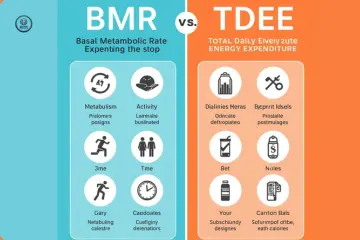
BMR estimates the energy your body uses at complete rest.
TDEE stands for Total Daily Energy Expenditure. It estimates the total energy you use throughout the day.
This includes exercise, walking, daily movement, digestion, and resting energy use.
| Term | Meaning |
|---|---|
| BMR | Calories used for basic body functions |
| RMR | Energy used under resting conditions |
| TDEE | Total daily energy expenditure |
For example, an app may estimate your BMR at 1,700 calories.
It may then show a TDEE estimate of 2,400 calories after accounting for your activity.
These figures are not competing results. They answer different questions.
Why Do BMR Apps Ask About Activity Levels?
Activity levels help apps estimate your total daily energy needs.
Most use an activity multiplier to adjust your BMR.
Common categories include:
- Sedentary: Mostly sitting throughout the day.
- Lightly active: Some walking and light exercise.
- Moderately active: Regular workouts and daily movement.
- Very active: Frequent exercise or physical work.
- Extremely active: Demanding training and high daily activity.
The tricky part is choosing the right category.
Someone who visits the gym three times a week may still spend most of the day sitting. Another person may not visit a gym but walk several miles at work.
That is why I would avoid choosing an activity level simply because it sounds more impressive.
What Features Should a Good BMR Calculator App Have?
Not every BMR app needs dozens of features.
In fact, a simple app with a clear formula may be more useful than one packed with tools you never use.
When assessing an app, I would focus on a few practical features.
Easy Calculations and Clear Results
A good app should make the calculation process simple.
You should be able to enter your details without dealing with confusing menus or unnecessary questions.
The result should also explain whether it represents BMR, RMR, or TDEE.
| App feature | Practical benefit |
|---|---|
| Multiple unit options | Supports kg, pounds, cm, and feet |
| Formula details | Shows how the result is calculated |
| Saved results | Helps review previous estimates |
| TDEE calculator | Adds activity to calorie estimates |
| Simple interface | Makes daily use easier |
| Result explanations | Helps beginners understand the numbers |
Weight and Progress Tracking
Some BMR calculator apps include weight tracking.
This can help you record changes over time without using a separate tool.
However, your weight can change due to water, food, and other normal factors.
A single measurement does not tell you whether your fitness plan is working.
I prefer looking at longer-term trends rather than reacting to every small change on the scale.
Food and Exercise Tracking
More advanced fitness apps may include a food diary and workout records.
You can use these tools to see your eating habits alongside your activity.
For example, a food tracker may help you review your protein intake. A workout log can help you record your training sessions.
These features are useful extras, but they do not make the app’s BMR calculation more accurate.
Are BMR Calculator Apps Accurate?
This is a fair question, especially when you plan to use the result for fitness or nutrition decisions.
The honest answer is that BMR apps can provide useful estimates, but they cannot guarantee your exact resting calorie needs.
Their accuracy depends on the formula, your personal details, and how well the equation fits your body.
Why App Results May Differ From Your Actual Metabolism
A mathematical formula uses common patterns from research to predict energy needs.
But every person is different.
Factors such as age, body composition, genetics, and health can affect resting energy expenditure.
The National Academies explains that resting energy expenditure varies between people and across the lifespan.
You can read more in its review of energy expenditure and requirements.
Here are a few reasons your actual needs may differ from an app estimate.
| Factor | Possible effect |
|---|---|
| Muscle mass | Changes resting energy needs |
| Age | Energy needs can change over time |
| Health conditions | May affect energy expenditure |
| Body composition | Weight alone may not tell the full story |
| Hormonal changes | Can affect metabolic processes |
Can a Phone Measure Your BMR Directly?
No ordinary BMR calculator app can directly measure resting metabolism using only your phone’s basic sensors.
A phone can record movement or use connected health data. But that is not the same as measuring oxygen use and carbon dioxide production.
A more direct way to assess resting energy expenditure is indirect calorimetry.
This method uses breathing measurements to estimate how much energy the body uses.
It requires specialist equipment and suitable testing conditions.
A standard app uses a prediction formula instead.
Free vs Paid BMR Calculator Apps: Is Paying Worth It?
Many people wonder whether a paid app gives better BMR results.
In most cases, paying for an app is not necessary just to estimate resting energy needs.
A recognised formula can be used in a free calculator just as easily as in a paid one.
The difference often comes down to extra features.
What Free BMR Apps Usually Offer
Free apps may provide:
- Basic BMR calculations.
- Simple calorie estimates.
- Metric and imperial units.
- Basic activity adjustments.
- Limited calculation history.
For someone who only wants to understand resting calorie needs, these features may be enough.
What Paid BMR Apps May Add
Paid apps may offer extra tools, such as meal tracking, progress charts, custom reports, or connections to other fitness services.
However, these features vary between products.
| Feature | Free app | Paid app |
|---|---|---|
| Basic BMR estimate | Often included | Often included |
| Formula explanations | Varies | Varies |
| Progress history | May be limited | May offer more |
| Food tracking | Basic or limited | May offer advanced tools |
| Extra reports | Often limited | May be included |
I would not pay for an app simply because it claims to calculate BMR more accurately.
First, check which formula it uses. Then decide whether the extra features are worth the cost.
Privacy and Safety: What to Check Before Installing a BMR App
This part is easy to overlook.
BMR apps often ask for personal details such as age, weight, height, and sex. Some fitness apps may also collect activity records or other health-related information.
That makes privacy worth checking before installation.
Why App Permissions Matter
Some apps may request access to connected health services, location data, or device features.
Not every permission is needed for a basic BMR calculation.
For example, a simple calculator does not normally need access to your contacts.
The Federal Trade Commission highlights privacy and security concerns for mobile health apps and provides guidance through its Mobile Health Apps Interactive Tool.
How to Check Whether a BMR App Is Safe
Before using an app, check its privacy policy and app store information.
| What to check | What to look for |
|---|---|
| Privacy policy | Clear details about data use |
| Permissions | Only relevant access requests |
| Account settings | Options to manage personal data |
| Data sharing | Details about third-party services |
| Deletion options | Ability to remove saved information |
A good app should explain why it needs your information.
If the privacy policy is unclear, I would think twice before entering personal health details.
Common Mistakes People Make When Using BMR Calculator Apps
Even a well-designed app can be confusing when you use its results the wrong way.
Here are a few mistakes worth avoiding.
Treating BMR as a Daily Calorie Limit
Your BMR is not the number of calories you must eat each day.
It only estimates resting energy use.
Your total daily needs also include movement, exercise, digestion, and other energy demands.
Trusting Every Activity Calorie Estimate
Some apps connect to smartwatches and fitness trackers.
These devices can help record movement and activity. However, their calorie estimates are not exact measurements.
Use them as general guidance rather than treating every number as precise.
Comparing Results From Different Formulas
If one app uses Mifflin-St Jeor and another uses Harris-Benedict, the results may differ.
That does not mean one app is automatically wrong.
| Common mistake | Better approach |
|---|---|
| Using old measurements | Update your profile |
| Confusing BMR with TDEE | Check the result label |
| Trusting every calorie estimate | Treat it as a guide |
| Ignoring the formula | Check the calculation method |
| Installing apps without checking privacy | Review permissions first |
How to Choose the Right BMR Calculator App for Your Needs
The right choice depends on what you want to do with your result.
You do not need an advanced fitness app if all you want is a basic BMR estimate.
Choose a Simple App for Basic Calculations
A basic BMR app makes sense if you only want to understand resting calorie needs.
Look for a clear formula, easy inputs, and simple results.
You probably do not need meal tracking, workout plans, or daily reminders.
Choose a Full Fitness App for Regular Tracking
A broader fitness app may be useful if you want to record meals, workouts, weight, and daily activity.
It can help you keep several parts of your routine in one place.
Just remember that a food diary or activity tracker is a separate feature from the BMR calculation.
What If You Are an Athlete or Have a Health Condition?
A standard BMR app may not be the best option for everyone.
Athletes with unusual body composition may need a more suitable prediction equation.
People with certain medical conditions may also need individual advice.
If accuracy is important for a health or nutrition plan, a healthcare professional or registered dietitian can help you decide whether a calculation or a metabolic test is appropriate.
For children and teenagers, adult BMR equations should not be treated as a basis for restrictive calorie targets.
Frequently Asked Questions About BMR Calculator Apps Explained
Here are some common questions people ask when learning about BMR apps and their results.
Do BMR Calculator Apps Actually Work?
Yes. They can estimate resting calorie needs using established mathematical equations.
However, they do not directly measure metabolism. Their results should be treated as estimates.
Which Formula Is Best for BMR Calculator Apps?
Mifflin-St Jeor is a well-studied choice for many adults.
Other formulas, such as Harris-Benedict and Katch-McArdle, may also be useful in certain situations.
No single equation is perfect for everyone.
Can BMR Apps Help With Weight Loss?
They can help you understand resting energy needs and, in some cases, estimate TDEE.
However, a BMR result alone is not a weight-loss plan. Your overall nutrition, activity, health, and habits also matter.
Should I Update My BMR App Every Month?
You do not need to update it every month.
Update your information when your weight or other relevant details change. Many apps also recalculate estimates automatically when you edit your profile.
Are BMR Apps Safe to Use?
Most basic calculations do not require sensitive device permissions.
However, privacy practices differ between apps. Check the developer, privacy policy, and permissions before sharing personal information.
Can a BMR App Replace a Metabolic Test?
No. A BMR app estimates your resting energy needs using a formula.
Indirect calorimetry measures gas exchange to assess resting energy expenditure more directly. A clinical test may be useful when a more individual assessment is needed.
Final Thoughts
Understanding BMR calculator apps explained is really about knowing what happens behind the numbers. These apps use personal details and mathematical formulas to estimate resting calorie needs. Some offer simple calculations, while others add food tracking, activity records, and progress charts. The extra features can be useful, but they do not guarantee a more accurate BMR result.
My advice is to start with an app that uses a recognised formula, explains its results, and respects your privacy. Check your measurements, understand the difference between BMR and TDEE, and avoid treating one calorie estimate as an exact rule. A good BMR app should make it easier to understand your body’s energy needs, not make healthy eating and fitness feel complicated.

Ehatasamul Alom is a dedicated health-tech enthusiast and the co-founder of BMRCalculator. With a passion for metabolic science, he focuses on providing accurate health data for the UK community. Ehatasamul ensures that every tool and guide aligns with NHS standards and public health research. His mission is to simplify complex biological data, helping British residents make informed decisions about their fitness, calorie needs, and long-term wellness. When not analyzing health trends, he explores the latest innovations in wearable fitness technology.