Open the App Store and search “BMR calculator.” You’ll get hundreds of results. Most look the same. Most promise “accurate” numbers. Very few tell you how they get them.
That gap bugged me. So I went through the store listings and compared what each app says it does. I’ll be upfront: I did not lab-test any of them. This guide is about how to pick the best BMR calculator app for iOS for your needs, which apps are worth a look, and the mistakes that quietly wreck your numbers.
What a BMR Calculator App Actually Tells You
BMR stands for basal metabolic rate. It’s an estimate of the calories your body burns at rest. Think of it as the cost of keeping the lights on: breathing, circulation, and basic cell work.
Here’s the catch. It’s an estimate, not a measurement. Every app on your phone is doing math with a formula. None of them are reading your metabolism.
BMR vs. TDEE: The Mix-Up That Trips People Up
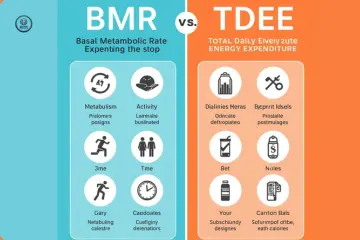
Many apps show two numbers: BMR and TDEE. People often eat to the wrong one. TDEE (total daily energy expenditure) adds your activity on top of BMR.
If you plan meals around BMR alone, you’ll likely under-eat. If you plan around TDEE and your activity guess is too high, you’ll over-eat. Both are easy to do.
| Term | What It Means | Best Use |
|---|---|---|
| BMR | Calories burned at complete rest | Baseline starting point |
| TDEE | BMR plus daily movement and exercise | Planning daily intake |
| Calorie goal | TDEE minus or plus a target | Weight loss or gain |
Why the Formula Matters More Than the Design
Most people pick an app by how it looks. I get it. A clean screen feels trustworthy. But the formula under the hood matters far more.
Apps usually rely on a small set of well-known equations. A good app tells you which one it uses. A great app lets you switch.
The Three Formulas You’ll See Most
Mifflin-St Jeor is the one I’d start with. It’s widely used by dietitians for healthy adults, though I can’t point to one single authority that declares it “the best.” It uses weight, height, age, and sex.
Harris-Benedict is older. It tends to run a little higher for many people, so treat it as a second opinion rather than a verdict.
Katch-McArdle is different. It uses lean body mass instead of total weight. That helps if you know your body fat percentage. It misleads if you’re guessing it.
| Formula | What It Needs | Good Fit For |
|---|---|---|
| Mifflin-St Jeor | Weight, height, age, sex | Most healthy adults |
| Harris-Benedict | Weight, height, age, sex | A cross-check number |
| Katch-McArdle | Lean body mass | People who know their body fat |
A Quick Hand-Check
Here’s a trick I like. Do one calculation by hand. It takes a minute and tells you if an app is off.
Mifflin-St Jeor for women: (10 × weight in kg) + (6.25 × height in cm) − (5 × age) − 161. For men, add 5 instead of subtracting 161.
Take a 30-year-old woman who is 70 kg and 170 cm. That works out to about 1,452 calories. If an app shows something wildly different and doesn’t name a formula, be careful.
What I Look for in the Best BMR Calculator App for iOS
I’m not looking for the fanciest app. I’m looking for one I’d actually open twice. That means fast input, clear results, and honest labels.
The Must-Haves
An app earns a spot on my phone if it does these things:
- Names the formula it uses
- Shows BMR and TDEE separately
- Supports metric and imperial units
- Lets you edit your stats without starting over
That last one matters more than you’d think. Your weight changes. Your numbers should too.
The Nice-to-Haves
These aren’t deal-breakers. But they make daily use easier.
Apple Health integration can save you from retyping your weight. A history view helps you spot trends. A switch between formulas lets you compare results.
The Red Flags
Some apps promise “100% accurate” results. That claim is a warning sign. No calculator can promise that, because no formula knows your individual metabolism.
Also watch for apps that hide results behind a paywall after you enter your data. You’ve done the work. Then they ask for money.
| Feature | Why It Matters |
|---|---|
| Named formula | You can verify the math |
| Unit switching | Avoids kg/lb input errors |
| Editable profile | Keeps numbers current |
| No fake “100% accurate” claims | Signals honest design |
iOS BMR Calculator Apps Worth a Look
Here’s what I found by reading App Store listings and a third-party app directory. Ratings and prices change often, so check each listing yourself. I haven’t tested these for accuracy.
Simple, Focused Calculators
BMR Calculator by Uncanny Apps shows up near the top of one directory’s BMR list. That directory lists a 4.7 rating from 241 ratings (as of its May 2026 update). It’s labeled free.
M&N BMR Calculator is a free app. One user review on its App Store page praises the clean design and says it covers pregnant and lactating users. That’s one reviewer’s opinion, so verify it in the app.
Easy BMR Calculator says it tracks intake and burn. It lists in-app purchases. The directory I checked showed no ratings yet, so I’d treat it as unproven.
Apps That Do More Than BMR
TDEE by Apperitif Limited focuses on TDEE, with BMR and BMI included. The directory lists it at 4.7 from 463 ratings.
BMI, BMR & Body Fat Calculator by Eclix Tech bundles several tools: BMI, BMR, TDEE, and body fat. Its listing shows in-app purchases, including a monthly subscription at $4.99 and a Pro option at $2.99 at the time I looked.
Macronutrients.com is a macro and calorie tracker. Its listing mentions three BMR formulas, barcode scanning, and a food-suggestion feature. That’s the one I’d check if you want formula choice plus tracking.
| App | Best For | Watch Out For |
|---|---|---|
| BMR Calculator (Uncanny Apps) | A quick, simple number | Verify which formula it uses |
| TDEE (Apperitif) | Daily calorie planning | In-app purchases |
| BMI, BMR & Body Fat (Eclix Tech) | All-in-one metrics | Subscription pricing |
| Macronutrients.com | Formula choice and tracking | More than you may need |
Mistakes That Skew Your BMR Number
Even the best BMR calculator app for iOS can’t save you from bad inputs. Most errors come from us, not the app.
Guessing Your Activity Level
This is the big one. People tend to pick “very active” because they exercise a few times a week. But your job and daily movement count too.
If you sit most of the day, “lightly active” is usually the safer choice. Start low. Adjust after a few weeks of real results.
Trusting One Number Forever
Your BMR isn’t fixed. It shifts when your weight, muscle, or age changes. An app that never gets updated numbers gives you stale advice.
I’d recompute after any meaningful weight change. A reasonable rule of thumb is every month or two. That’s my habit suggestion, not a medical standard.
Treating the Result Like a Prescription
A BMR number is a starting point. It isn’t a diet plan. Your real needs depend on things the formula can’t see, like health conditions, medications, and sleep.
| Mistake | Better Approach |
|---|---|
| Picking “very active” by default | Start lower, then adjust with real results |
| Eating at BMR only | Plan around TDEE instead |
| Never updating your stats | Recalculate after weight changes |
| Trusting one app blindly | Cross-check with a second formula |
How Accurate Is a BMR Calculator App?
Honest answer: it’s a rough estimate. I’m not certain of an exact error range, and I’d be wary of anyone who quotes one confidently. Individual metabolism varies, so two people with the same stats can burn different amounts.
The good news? You don’t need perfect. You need a decent starting point and a way to adjust.
What Makes the Estimate Better or Worse
Some inputs raise your odds of a useful result. Others drag it down.
| Situation | What to Do |
|---|---|
| You know your body fat % | Try a Katch-McArdle option |
| You’re very muscular | Treat standard formulas cautiously |
| You have a medical condition | Ask a doctor or dietitian |
| You’re pregnant or nursing | Use a tool built for it, and ask your doctor |
The Method I’d Trust Most
Use the app for your first estimate. Then track your weight and food for two to three weeks. If your weight doesn’t move the way you expect, adjust your calories by a small amount.
That feedback loop beats any formula. Your own data is the real test.
Quick Answers to Common Questions
Is there a free BMR calculator app for iPhone?
Yes. Several apps are listed as free on the App Store. Many include in-app purchases or ads, so check what’s locked before you enter your data.
Which BMR formula should I use?
For most healthy adults, Mifflin-St Jeor is a sensible start. If you know your lean body mass, Katch-McArdle is worth comparing. Verify the choice with a dietitian if you have special needs.
Can I just use the Health app?
Apple’s Health app tracks activity and energy data, but I’m not certain it gives a plain BMR calculator the way these apps do. Check your current iOS version, since features change.
Do I need to pay for a BMR calculator app?
Probably not. The core math is simple, and free options exist. Pay only if you want tracking, history, or other extras you’ll really use.
Final Thoughts
The biggest lesson is simple. The best BMR calculator app for iOS isn’t the prettiest one. It’s the one that names its formula, shows BMR and TDEE clearly, and doesn’t overpromise.
Treat any result as a starting estimate. Check it by hand once, track your own results, and adjust slowly. If you have health concerns, talk to a doctor or registered dietitian before changing how you eat.

Ehatasamul Alom is a dedicated health-tech enthusiast and the co-founder of BMRCalculator. With a passion for metabolic science, he focuses on providing accurate health data for the UK community. Ehatasamul ensures that every tool and guide aligns with NHS standards and public health research. His mission is to simplify complex biological data, helping British residents make informed decisions about their fitness, calorie needs, and long-term wellness. When not analyzing health trends, he explores the latest innovations in wearable fitness technology.